NEW · AI-ASSISTED
Generate a mission from a scene.
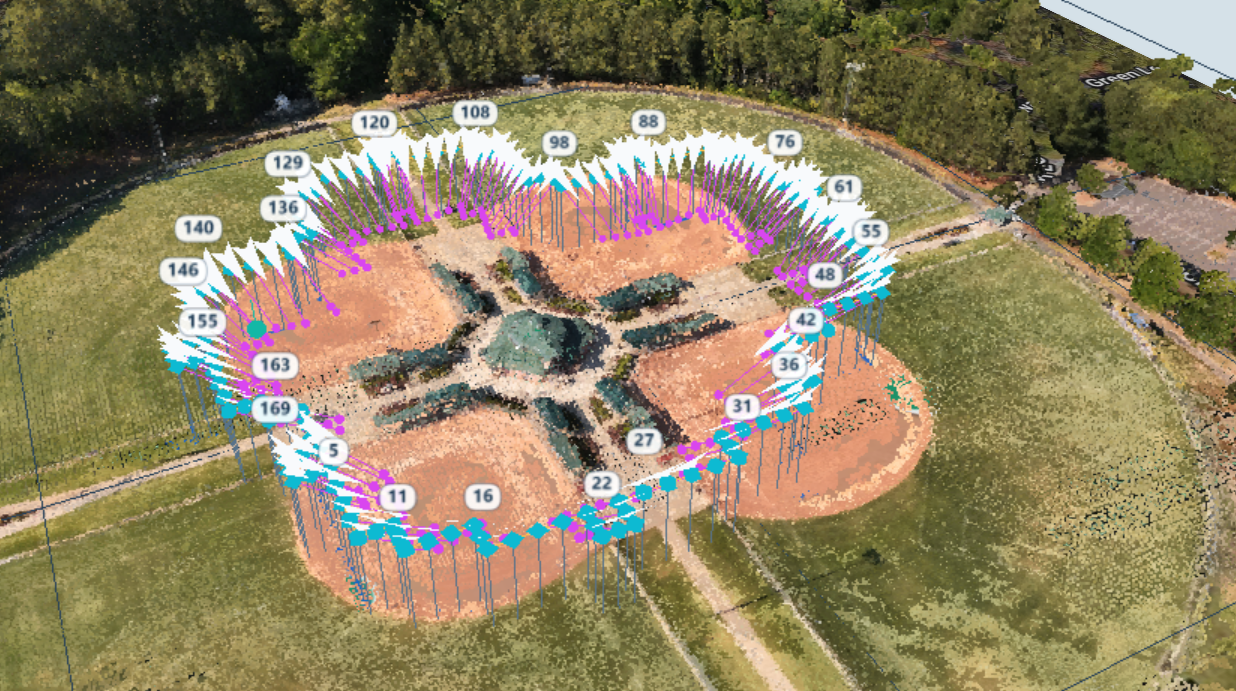
Import a prior drone flight and have AI generate an optimized mission or use generation tools to customize your flight.
Map large areas, create cinematic routes, and build precise waypoint missions for your DJI drone — all from your browser.
Plan in 2D when you need speed. Move into 3D when you need to see exactly where the drone and camera will go.
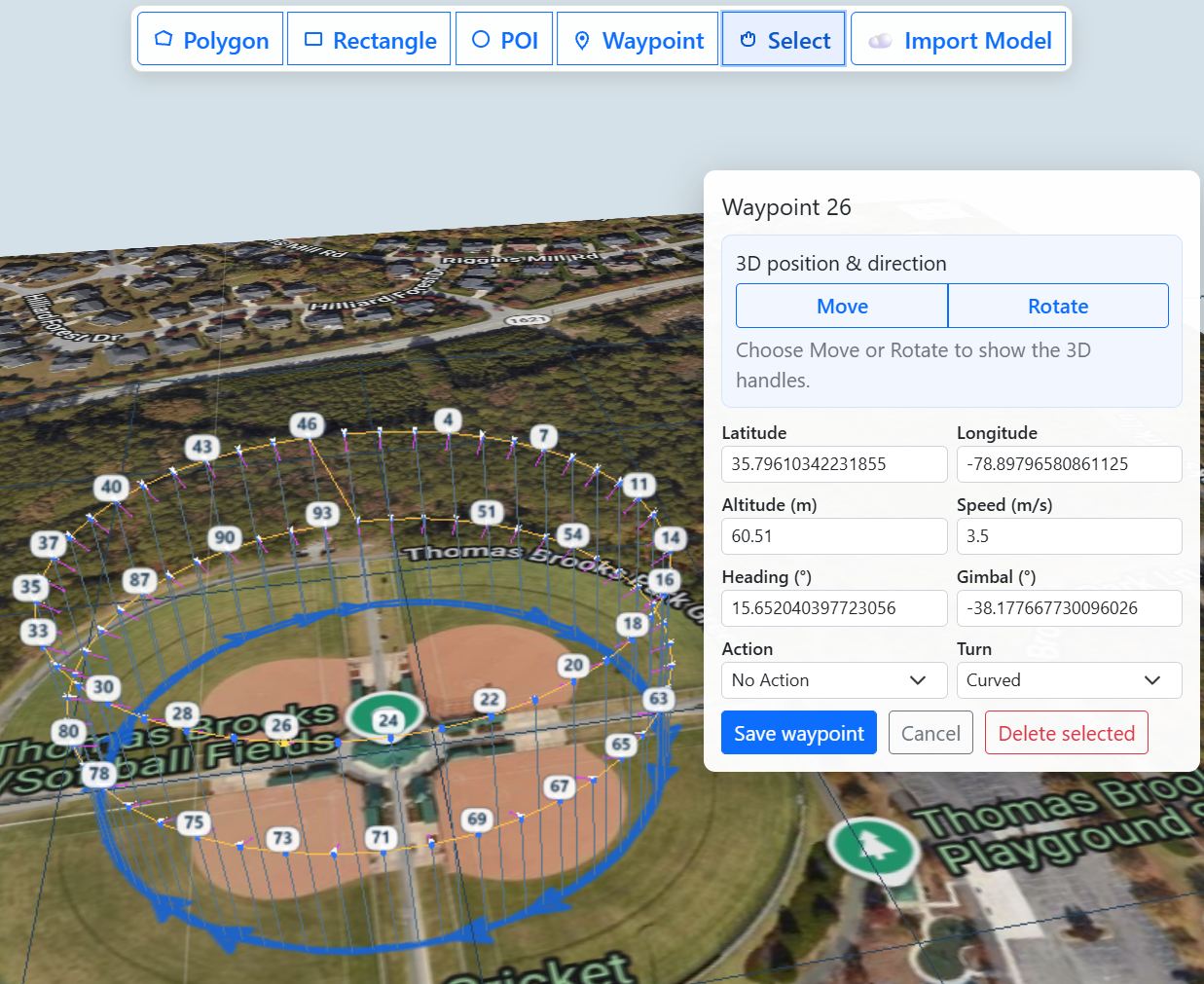 Actual editor screenshot
View the location in 3D before you fly and position your mission directly around the scene. Adjust waypoint altitude, heading, speed, and gimbal angle with the world right in front of you.
From mapping a field to orbiting a structure, build the route that fits the job instead of adjusting the job to fit the route.
Import a prior drone flight and have AI generate an optimized mission or use generation tools to customize your flight.
Plan with changing ground elevation in mind instead of relying on a flat-site assumption. Review clearances for every flight.
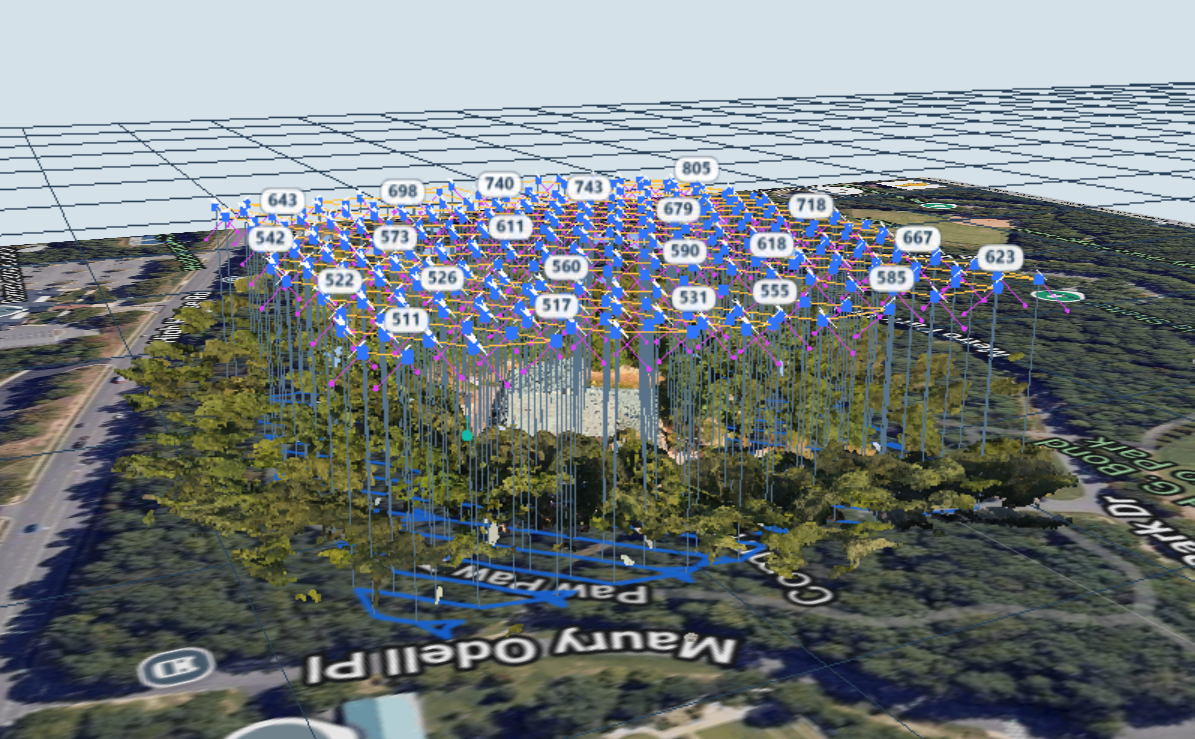
Open supported DJI waypoint KMZ or Google Earth KMZ files, modify your route, and keep working inside WaypointMap.
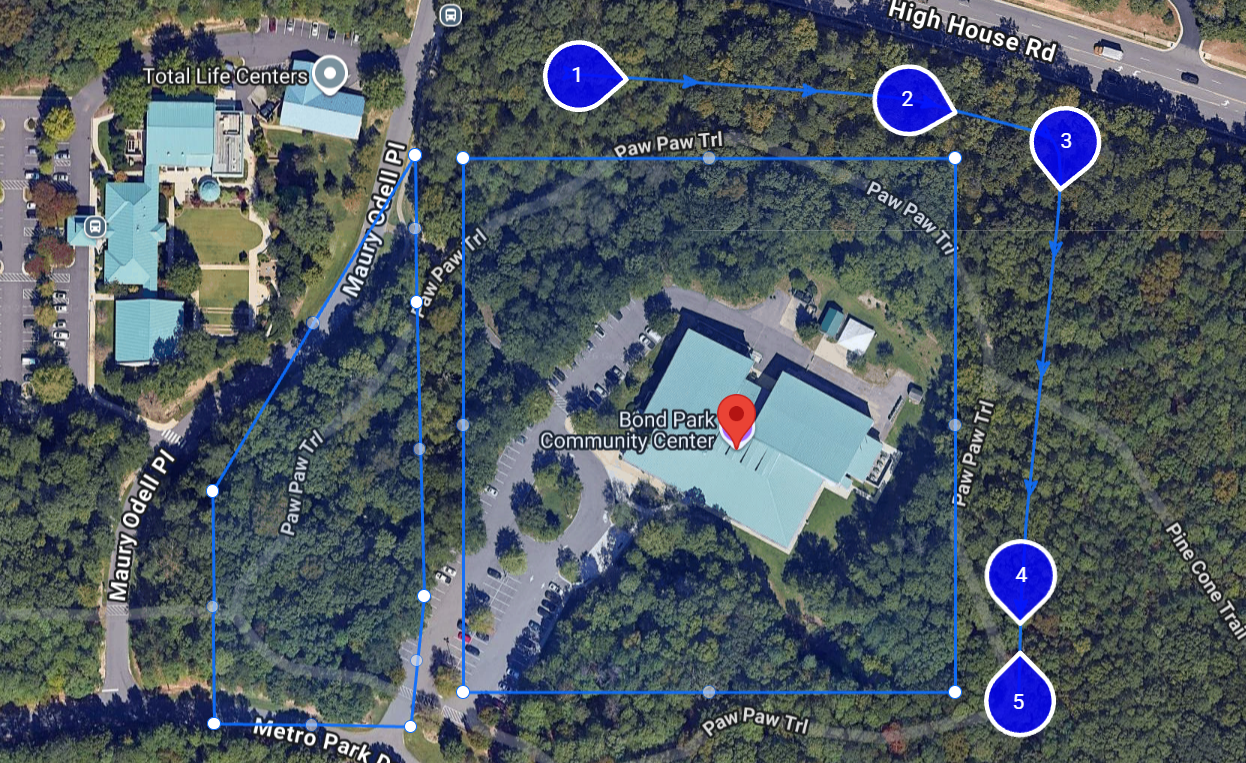
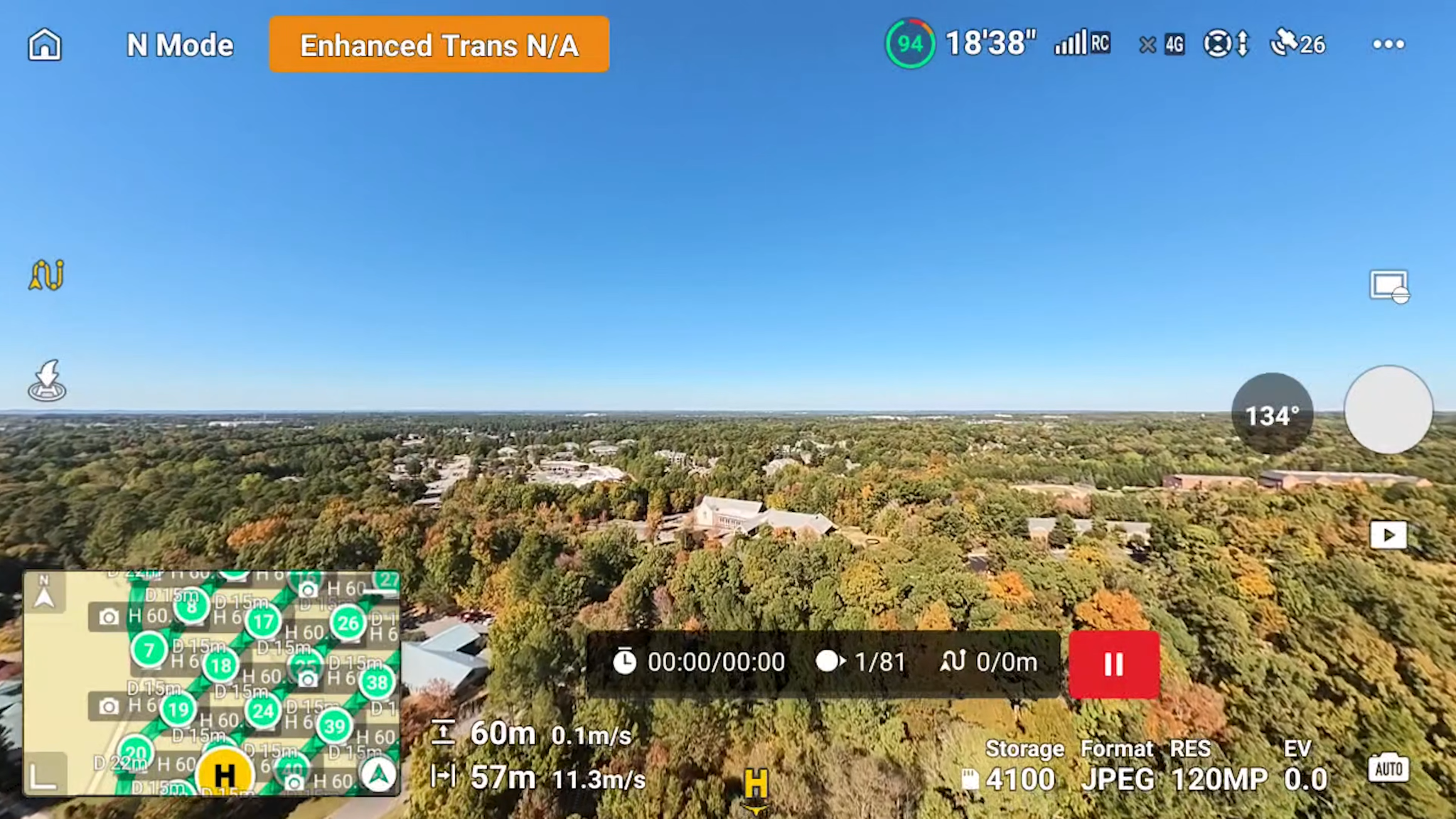
WaypointMap builds flight plans. Your compatible DJI aircraft executes the mission using its supported waypoint-flight workflow.
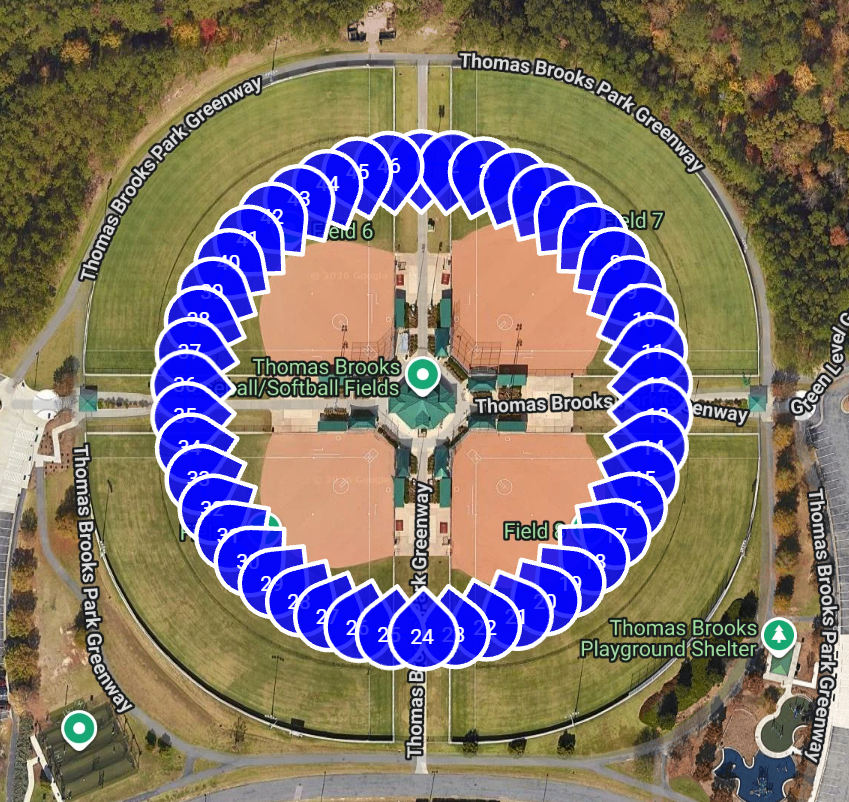
Draw a polygon, rectangle, orbit, or custom route. Start from scratch or import a KMZ file.
.png)
Install the waypoint mission file on your controller.
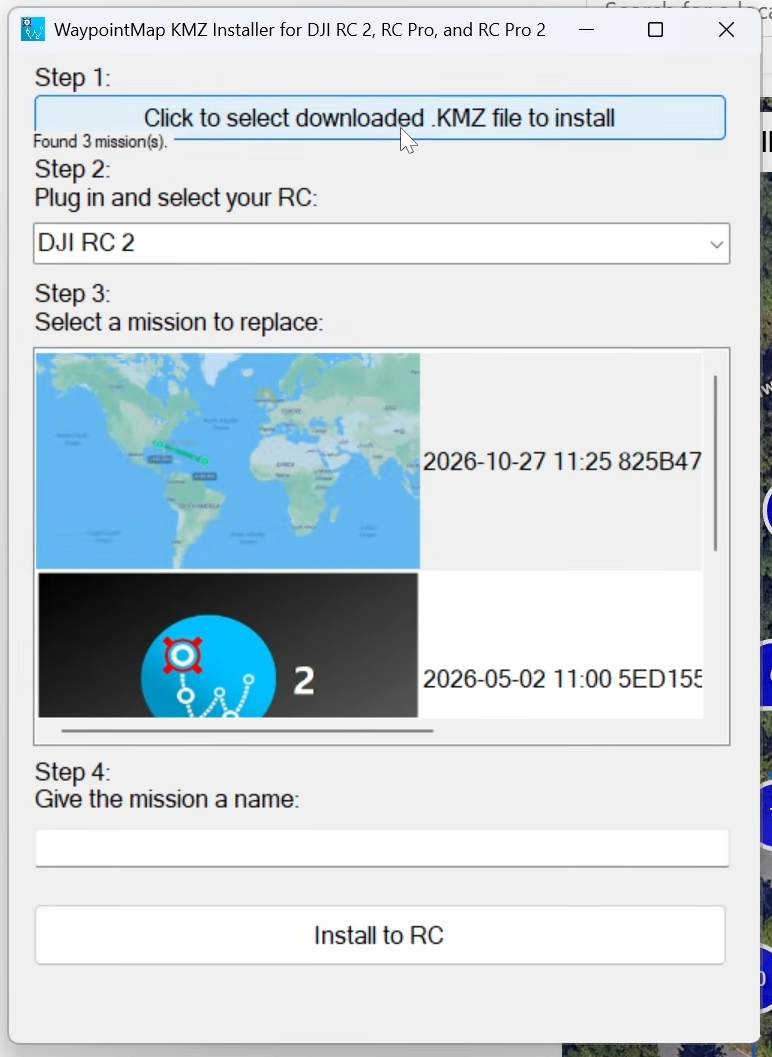
Export your mission, then use the desktop KMZ Installer on compatible devices or follow the device-specific installation guide.
Build your flight plan in WaypointMap, then use the optional Windows desktop KMZ Installer to simplify transferring it to a compatible DJI device over USB. Spend less time moving files and more time flying.
Available through WaypointMap Premium. Compatible devices and steps vary. iPhone installation uses a separate file-transfer process explained in the device guide; the Windows app is not an iPhone installer.
From infrastructure and field engineering to research and conservation, WaypointMap users span an extraordinary variety of disciplines.
Watch DJI pilots use WaypointMap for site mapping, circular point-of-interest flights, and advanced mission planning.
Design repeatable patterns for documenting fields and large properties.
Build orbit-style flight plans around the things you want to capture.
Learn the full workflow from creating a route to getting it onto your device.
Independent videos discussing WaypointMap and DJI mission-planning workflows.
Turning DJI flights into mapping missions.
Creating and transferring custom DJI waypoint files.
An independent look at accessible drone mapping tools.
WaypointMap is a browser-based mission planner. Supported DJI aircraft execute waypoint missions using their compatible DJI flight workflow after the mission has been transferred to the device.
DJI Fly does not offer a general external KMZ import button. The optional Windows desktop KMZ Installer can simplify transfer to supported controllers and Android devices; other devices use the device-specific installation instructions.
The Windows desktop installer is intended for compatible USB-connected DJI controllers and Android devices. If you fly with an iPhone, use the separate iPhone instructions in the installation guide.
Basic WaypointMap mission planning is free. Some advanced tools and KMZ workflows are part of WaypointMap Premium. Review the current feature list before buying.
WaypointMap is developed and run by Jay’s Tech Vault, a drone technology channel with over 220,000 subscribers. Its founder holds a master’s degree in Computer Engineering from NC State University.
The project has received recognition through NC State’s entrepreneurship programs and has been part of the Andrews Launch Accelerator.
Start planning for free Made by someone who flies.